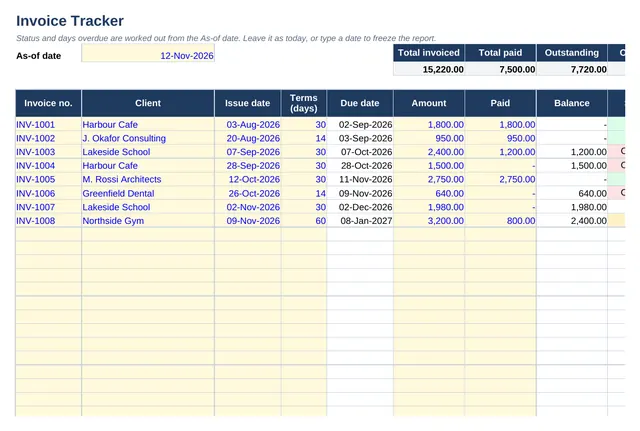
Invoice Tracker
Track every invoice, what is paid, what is overdue and how much you are owed.
A clean, printable invoice with automatic totals, tax, discount and due date.
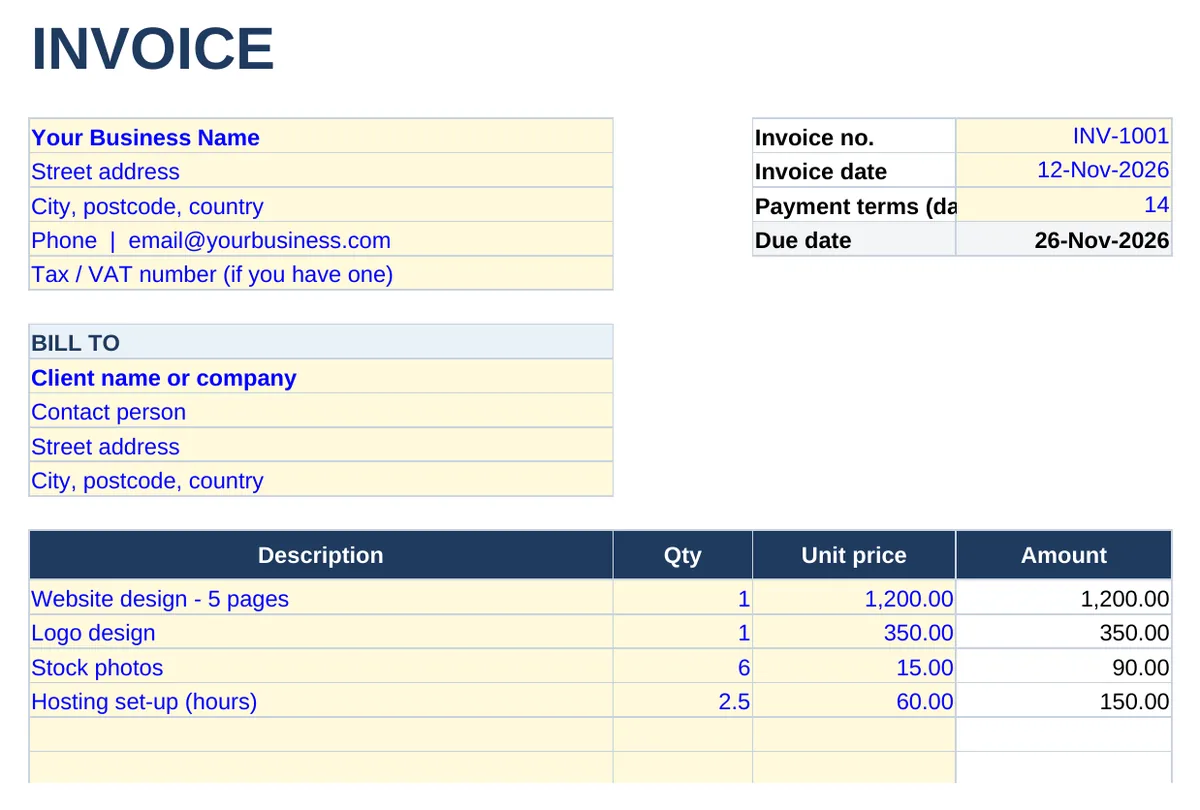
The invoice template with its example data. Yellow cells are yours to fill in; everything else calculates.
Fill in your details, client and line items. Amounts, discount, tax, shipping, total and due date calculate automatically. Print to PDF or send as is.
The same steps are on the first sheet of the file, so you do not need to keep this page open.
| Free template | Custom version · $26 | |
|---|---|---|
| Formulas, totals and charts | ✓ Ready to use | ✓ Extended to what you need |
| Your categories, accounts and products | You type them in | ✓ Set up for you |
| Your logo, colours and currency | Not included | ✓ Included |
| Extra columns, reports or sheets | Add them yourself | ✓ Built to your brief |
| Delivery | Instant download | Within 24 hours |
| Price | Free | $26 |
Your details, client details, invoice number, date, itemised charges, tax, total, payment terms and how to pay.
Insert > Picture and place it in the top-left area.
Use File > Save As > PDF in Excel, or File > Download > PDF in Google Sheets.
Use the Invoice Tracker template alongside this one.
Yes. Download it, use it and adapt it for yourself or your business at no cost and without giving an email address. Please do not resell it.
Track every invoice, what is paid, what is overdue and how much you are owed.
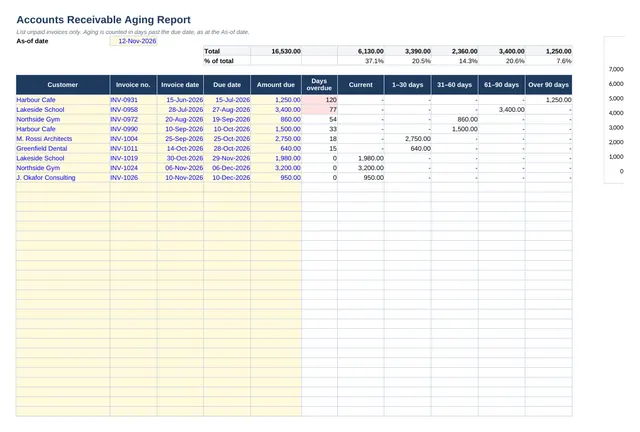
See which customers owe you, and how late they are, in 30/60/90-day buckets.
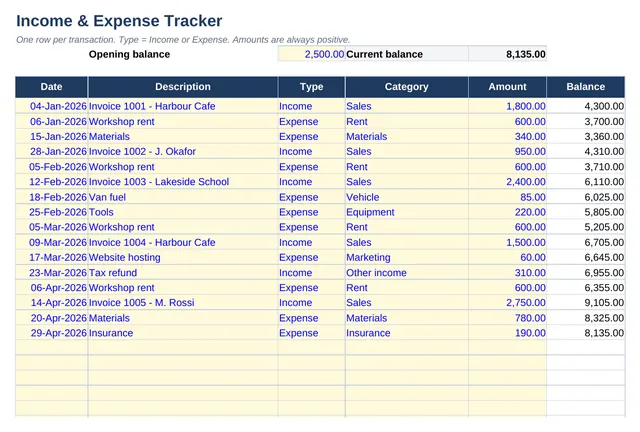
One log for money in and money out, with a running balance and a monthly profit summary.
Tell us how your business works and we will build the invoice around it: your accounts, your categories, your reports.
Order a custom version — $26 →This template is a general tool and is not accounting, tax or legal advice. Check figures that matter with a qualified accountant.