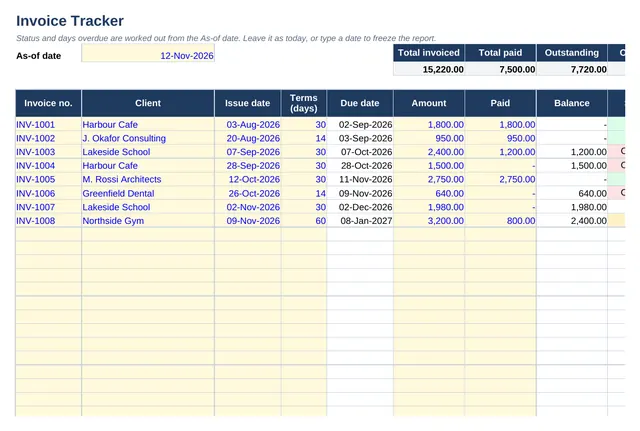
Invoice Tracker
Track every invoice, what is paid, what is overdue and how much you are owed.
See which customers owe you, and how late they are, in 30/60/90-day buckets.
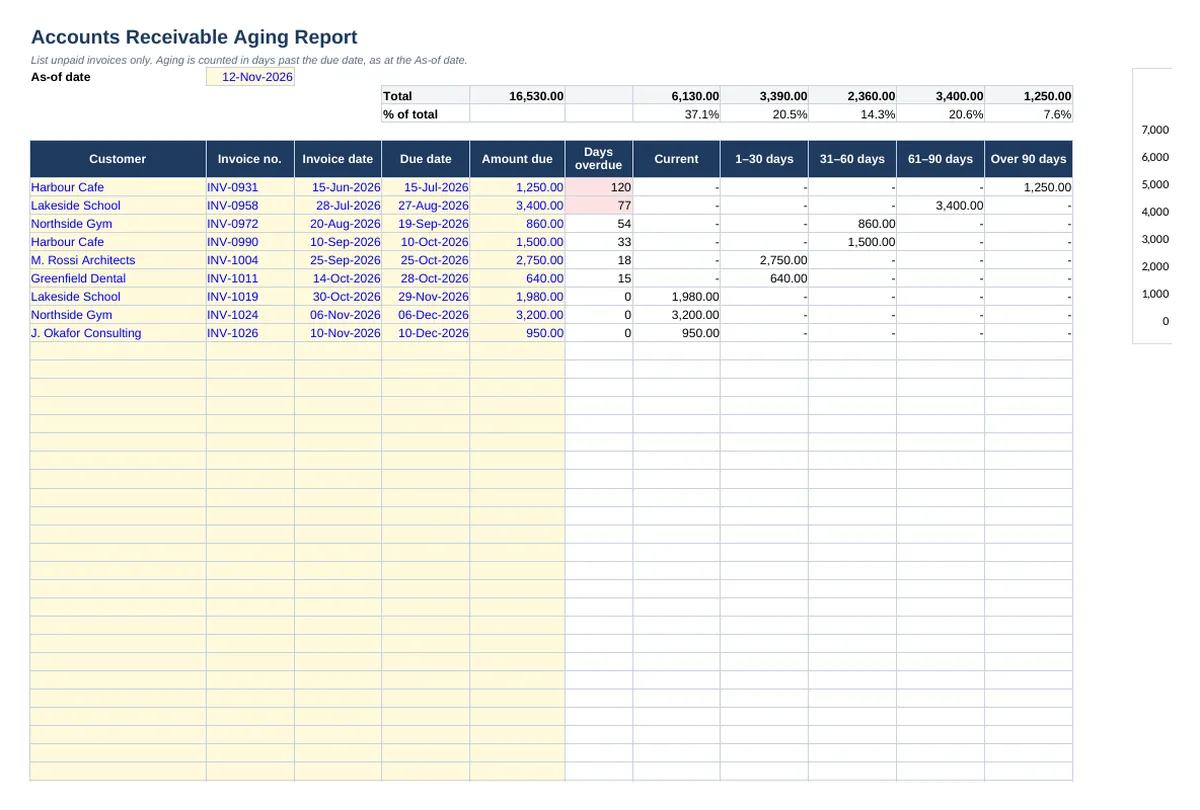
The accounts receivable aging report template with its example data. Yellow cells are yours to fill in; everything else calculates.
List unpaid invoices and the report sorts each into Current, 1–30, 31–60, 61–90 and 90+ days overdue, with totals, percentages and a chart.
The same steps are on the first sheet of the file, so you do not need to keep this page open.
| Free template | Custom version · $26 | |
|---|---|---|
| Formulas, totals and charts | ✓ Ready to use | ✓ Extended to what you need |
| Your categories, accounts and products | You type them in | ✓ Set up for you |
| Your logo, colours and currency | Not included | ✓ Included |
| Extra columns, reports or sheets | Add them yourself | ✓ Built to your brief |
| Delivery | Instant download | Within 24 hours |
| Price | Free | $26 |
A list of unpaid customer invoices grouped by how long they have been outstanding.
The older an invoice, the less likely it is to be paid. Aging shows where to focus collections and whether to provide for bad debts.
Current, 1–30, 31–60, 61–90 and over 90 days past due.
Aging here uses the due date, which is the usual practice. Change the formula in the Days overdue column if you prefer invoice date.
Yes. Download it, use it and adapt it for yourself or your business at no cost and without giving an email address. Please do not resell it.
Track every invoice, what is paid, what is overdue and how much you are owed.
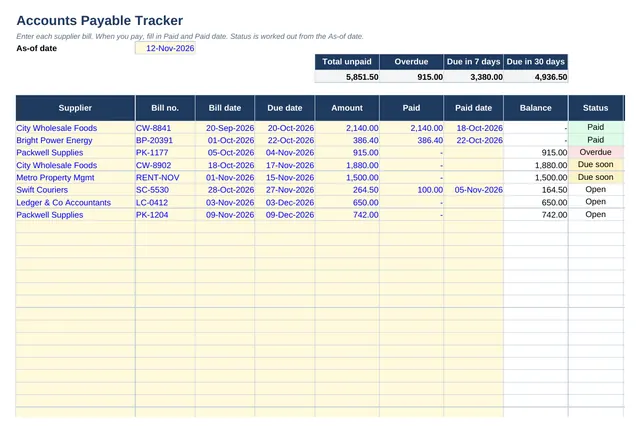
Track bills you owe, due dates and payments so nothing is paid late.
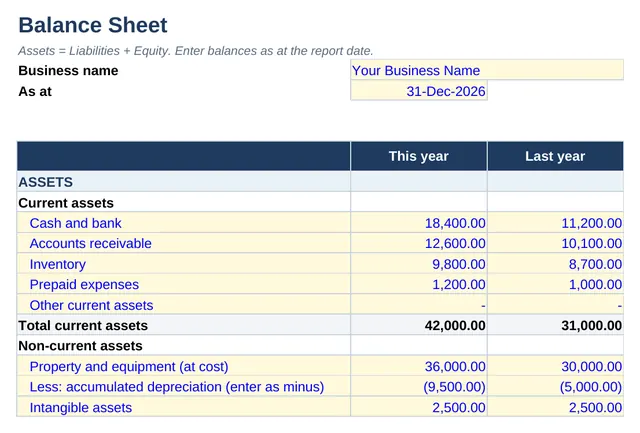
A classic balance sheet with this-year and last-year columns, balance check and key ratios.
Tell us how your business works and we will build the accounts receivable aging report around it: your accounts, your categories, your reports.
Order a custom version — $26 →This template is a general tool and is not accounting, tax or legal advice. Check figures that matter with a qualified accountant.