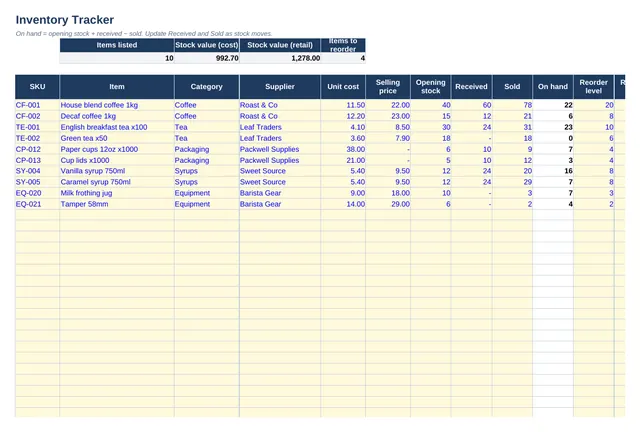
Inventory Tracker
Track stock levels, stock value and reorder alerts for every item.
Log every sale and see revenue by month, product and salesperson against targets.
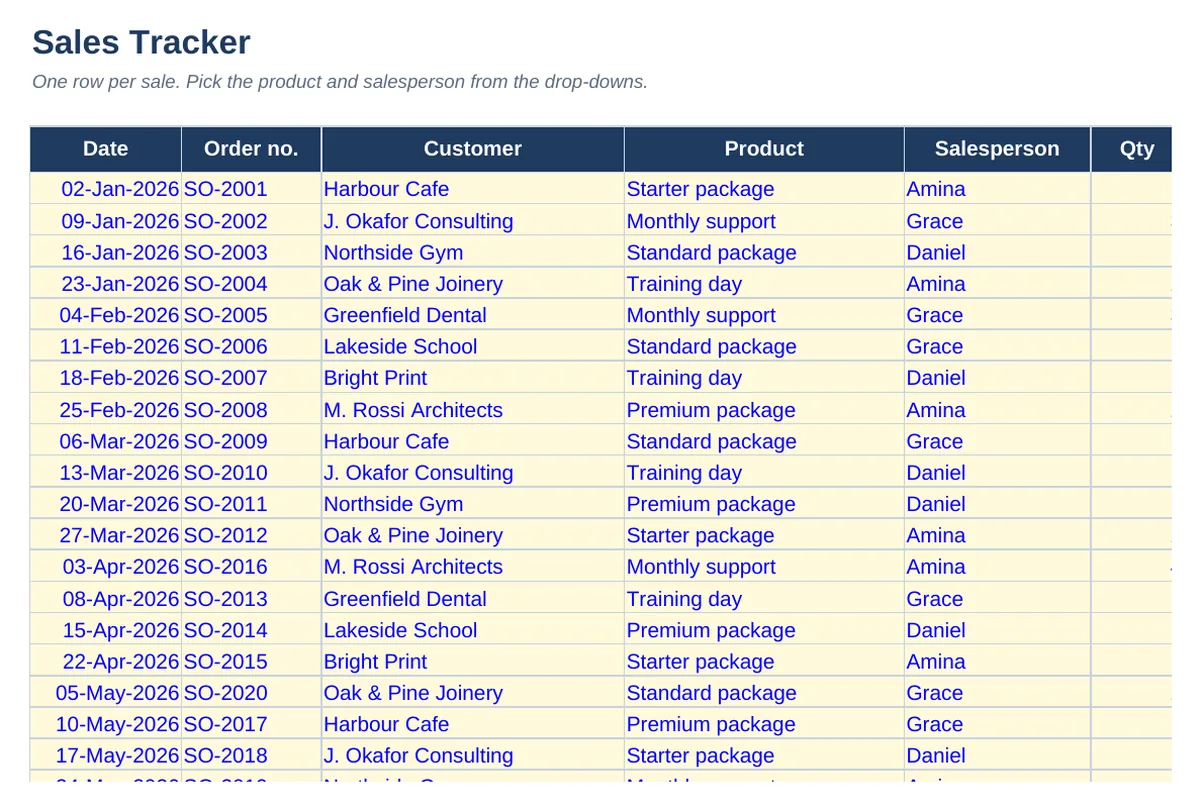
The sales tracker template with its example data. Yellow cells are yours to fill in; everything else calculates.
Record each sale with customer, product, quantity and price. The summary shows monthly revenue against target, top products and salesperson totals, with charts.
The same steps are on the first sheet of the file, so you do not need to keep this page open.
| Free template | Custom version · $26 | |
|---|---|---|
| Formulas, totals and charts | ✓ Ready to use | ✓ Extended to what you need |
| Your categories, accounts and products | You type them in | ✓ Set up for you |
| Your logo, colours and currency | Not included | ✓ Included |
| Extra columns, reports or sheets | Add them yourself | ✓ Built to your brief |
| Delivery | Instant download | Within 24 hours |
| Price | Free | $26 |
Record each sale on its own row and use SUMIFS to total by month, product and person, as this template does.
Yes, enter a monthly target and the summary shows the gap.
Edit the product list on the Lists sheet.
It shows revenue. For profit, add cost of sales or use the Profit & Loss template.
Yes. Download it, use it and adapt it for yourself or your business at no cost and without giving an email address. Please do not resell it.
Track stock levels, stock value and reorder alerts for every item.
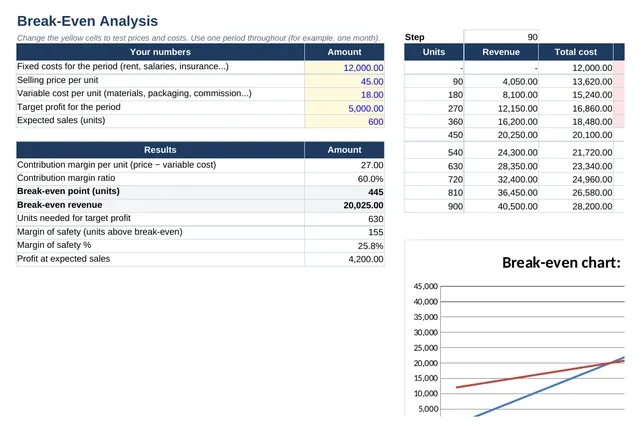
Find how many units or how much revenue you need to cover costs, with a chart.
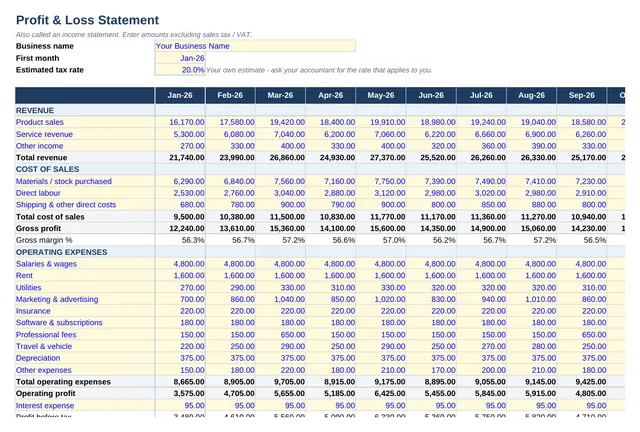
A monthly profit and loss statement with gross profit, operating profit, tax and net margin.
Tell us how your business works and we will build the sales tracker around it: your accounts, your categories, your reports.
Order a custom version — $26 →This template is a general tool and is not accounting, tax or legal advice. Check figures that matter with a qualified accountant.