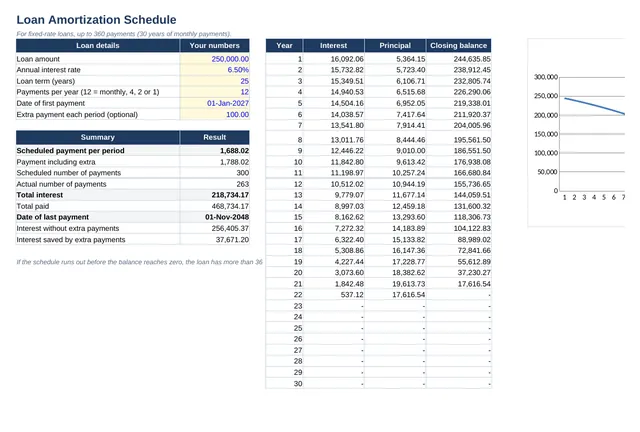
Loan Amortization Schedule
See every payment split into interest and principal, with optional extra payments and a payoff date.
List up to 5 debts, choose snowball or avalanche, and see your debt-free date and total interest.
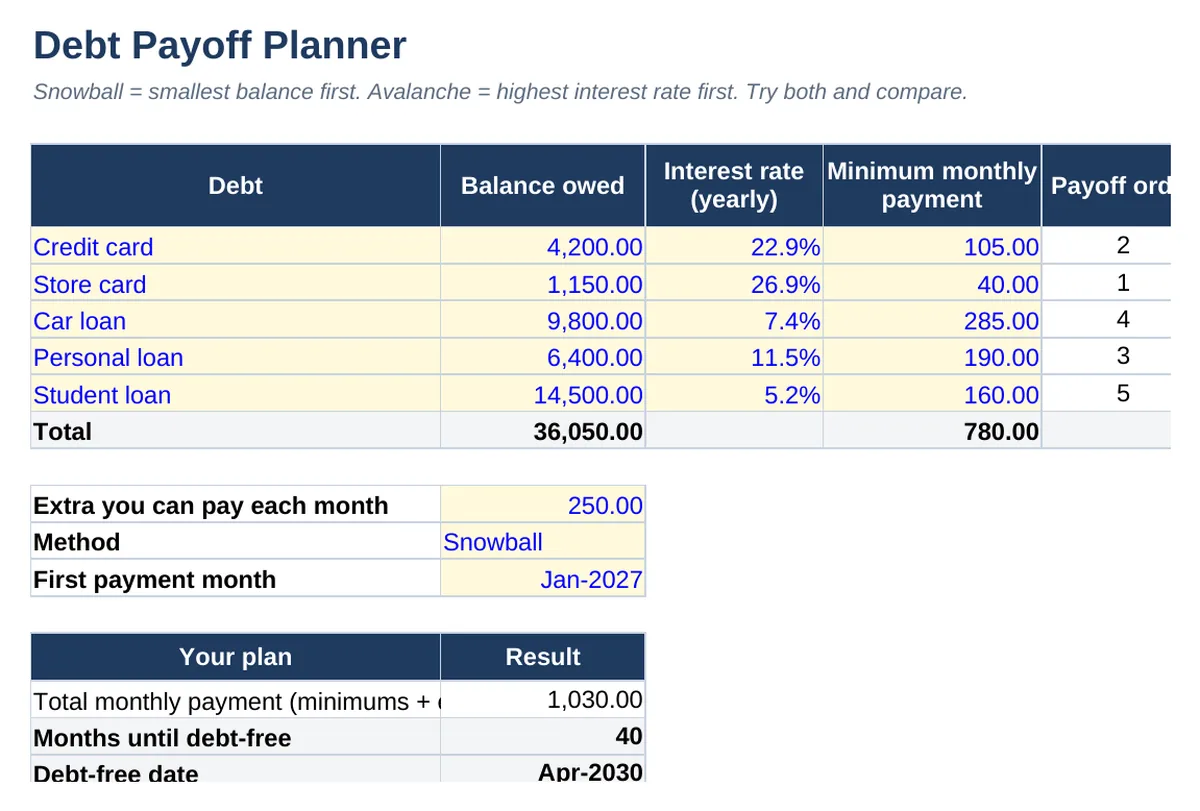
The debt payoff planner template with its example data. Yellow cells are yours to fill in; everything else calculates.
Enter each debt's balance, interest rate and minimum payment plus an extra monthly amount. The planner simulates the payoff and shows the order, the months to debt-free and total interest.
The same steps are on the first sheet of the file, so you do not need to keep this page open.
| Free template | Custom version · $26 | |
|---|---|---|
| Formulas, totals and charts | ✓ Ready to use | ✓ Extended to what you need |
| Your categories, accounts and products | You type them in | ✓ Set up for you |
| Your logo, colours and currency | Not included | ✓ Included |
| Extra columns, reports or sheets | Add them yourself | ✓ Built to your brief |
| Delivery | Instant download | Within 24 hours |
| Price | Free | $26 |
Pay minimums on all debts and put extra money toward the smallest balance first; when it is cleared, roll its payment to the next.
Put extra money toward the highest interest rate first. It usually costs the least interest.
Avalanche saves the most interest; snowball can be more motivating. Try both here and compare.
It is an estimate that assumes fixed rates and no new borrowing. Lenders' calculations can differ slightly.
Yes. Download it, use it and adapt it for yourself or your business at no cost and without giving an email address. Please do not resell it.
See every payment split into interest and principal, with optional extra payments and a payoff date.
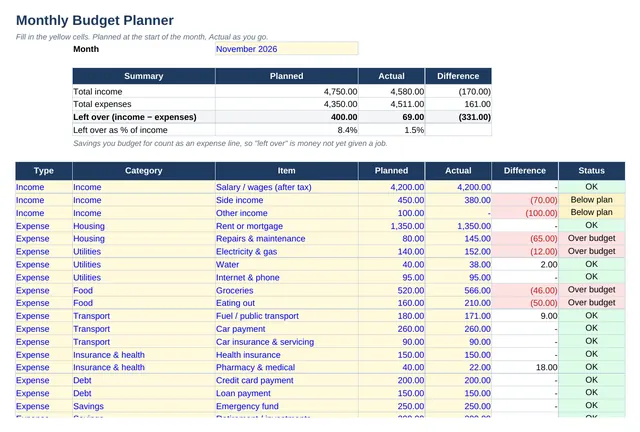
Plan income and expenses for the month, compare planned vs actual, and see your savings rate.
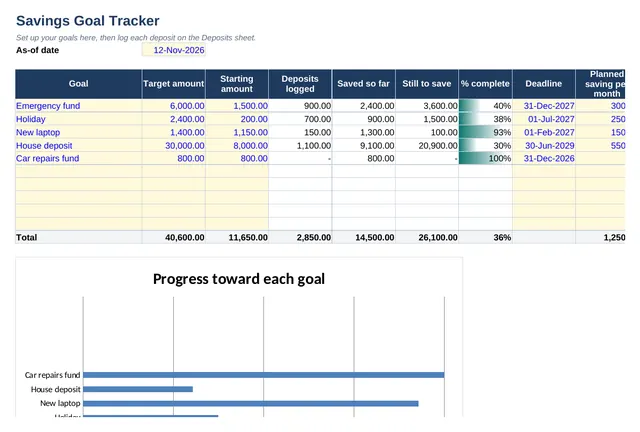
Track up to 10 savings goals with progress, required monthly saving and projected finish date.
Tell us how your business works and we will build the debt payoff planner around it: your accounts, your categories, your reports.
Order a custom version — $26 →This template is a general tool and is not accounting, tax or legal advice. Check figures that matter with a qualified accountant.