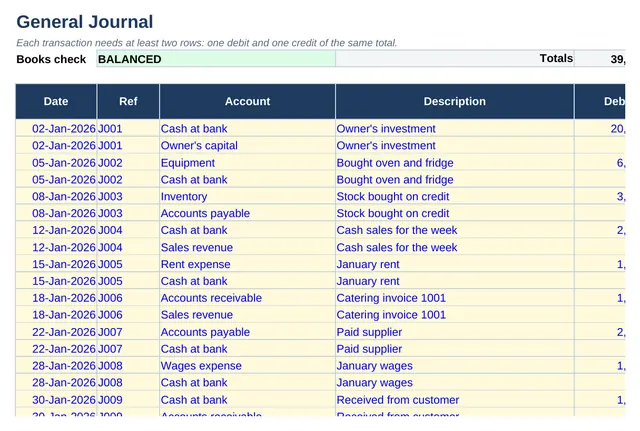
General Ledger & Journal
Record double-entry journal entries and see account balances update automatically.
A ready-made list of 60+ accounts with codes, types and normal balances for a small business.
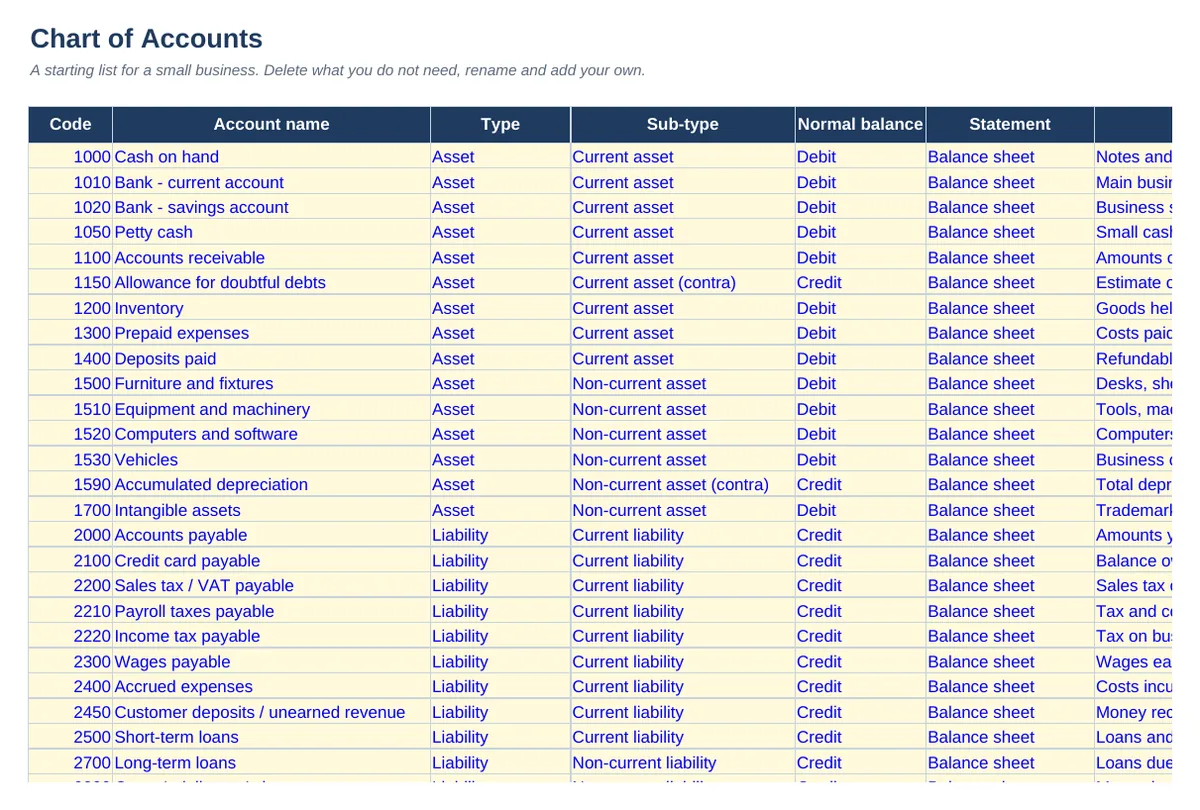
The chart of accounts template with its example data. Yellow cells are yours to fill in; everything else calculates.
A numbered chart of accounts covering assets, liabilities, equity, revenue, cost of sales and expenses, with account type, normal balance, statement and description. Filter, edit and extend it.
The same steps are on the first sheet of the file, so you do not need to keep this page open.
| Free template | Custom version · $26 | |
|---|---|---|
| Formulas, totals and charts | ✓ Ready to use | ✓ Extended to what you need |
| Your categories, accounts and products | You type them in | ✓ Set up for you |
| Your logo, colours and currency | Not included | ✓ Included |
| Extra columns, reports or sheets | Add them yourself | ✓ Built to your brief |
| Delivery | Instant download | Within 24 hours |
| Price | Free | $26 |
A numbered list of every account used to record transactions, grouped into assets, liabilities, equity, revenue and expenses.
A common scheme is 1000s assets, 2000s liabilities, 3000s equity, 4000s revenue, 5000s cost of sales and 6000s+ expenses.
As few as you need to answer your questions; small businesses often use 30–80.
Copy the code, name and type columns into a CSV in the format your software requires.
Yes. Download it, use it and adapt it for yourself or your business at no cost and without giving an email address. Please do not resell it.
Record double-entry journal entries and see account balances update automatically.
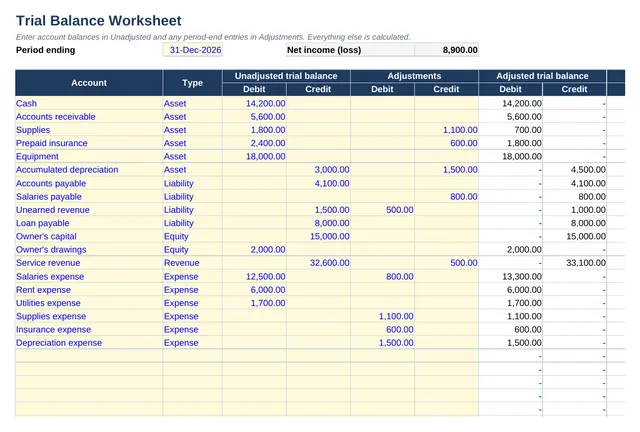
A 10-column accounting worksheet: unadjusted, adjustments, adjusted, income statement and balance sheet.
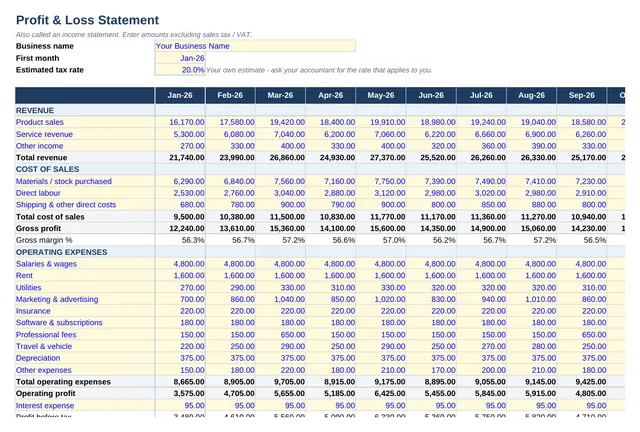
A monthly profit and loss statement with gross profit, operating profit, tax and net margin.
Tell us how your business works and we will build the chart of accounts around it: your accounts, your categories, your reports.
Order a custom version — $26 →This template is a general tool and is not accounting, tax or legal advice. Check figures that matter with a qualified accountant.