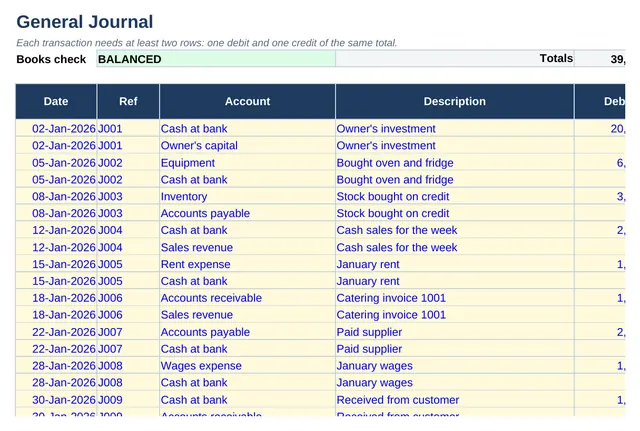
General Ledger & Journal
Record double-entry journal entries and see account balances update automatically.
Match your books to the bank statement and find the difference.
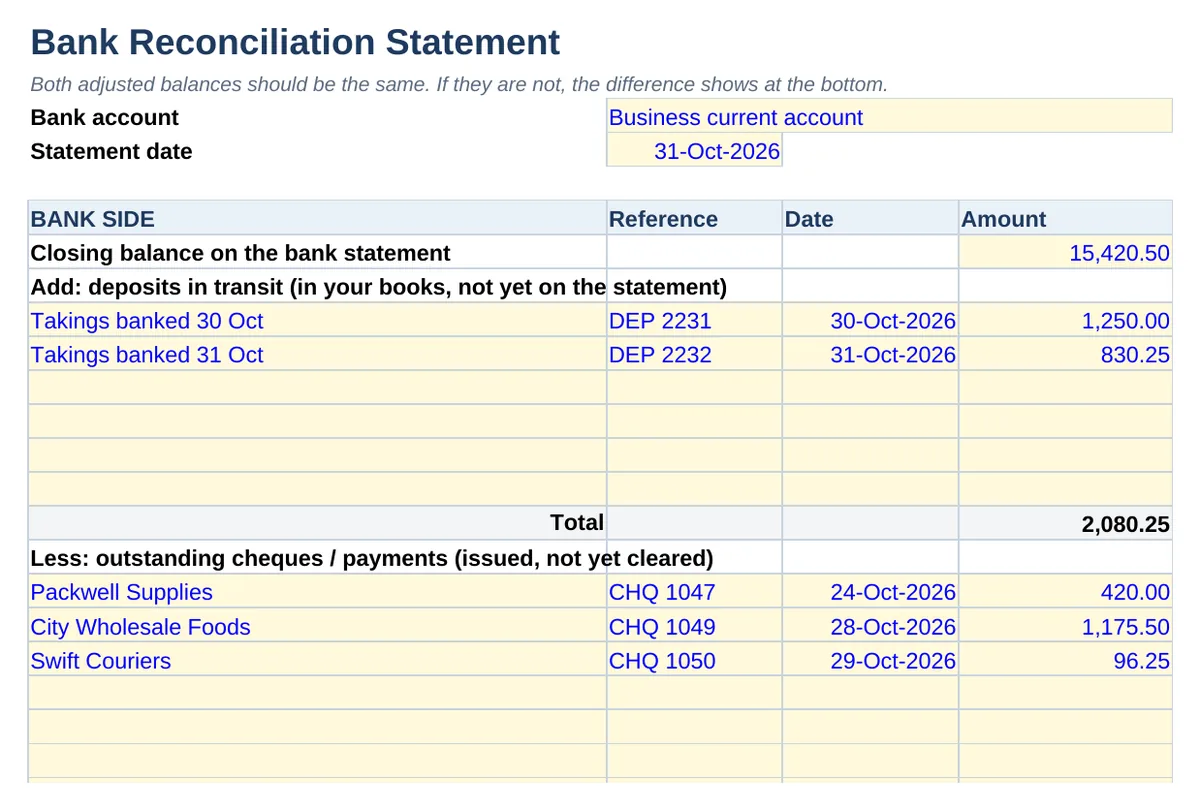
The bank reconciliation statement template with its example data. Yellow cells are yours to fill in; everything else calculates.
Enter the bank statement balance, deposits in transit and outstanding cheques on one side, and the book balance with bank fees and interest on the other. The sheet shows whether they agree.
The same steps are on the first sheet of the file, so you do not need to keep this page open.
| Free template | Custom version · $26 | |
|---|---|---|
| Formulas, totals and charts | ✓ Ready to use | ✓ Extended to what you need |
| Your categories, accounts and products | You type them in | ✓ Set up for you |
| Your logo, colours and currency | Not included | ✓ Included |
| Extra columns, reports or sheets | Add them yourself | ✓ Built to your brief |
| Delivery | Instant download | Within 24 hours |
| Price | Free | $26 |
A comparison of your accounting records with the bank statement to explain any differences.
Cheques you issued that have not yet cleared the bank.
Deposits recorded in your books but not yet on the bank statement.
At least monthly.
Yes. Download it, use it and adapt it for yourself or your business at no cost and without giving an email address. Please do not resell it.
Record double-entry journal entries and see account balances update automatically.
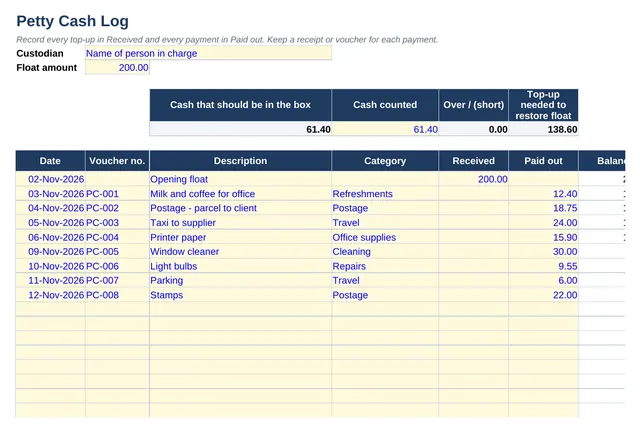
Track petty cash receipts and spending with a running balance and a cash count check.
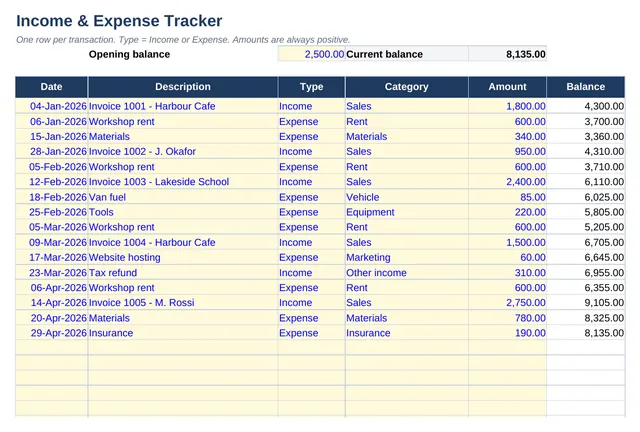
One log for money in and money out, with a running balance and a monthly profit summary.
Tell us how your business works and we will build the bank reconciliation statement around it: your accounts, your categories, your reports.
Order a custom version — $26 →This template is a general tool and is not accounting, tax or legal advice. Check figures that matter with a qualified accountant.